

Quick Answer
Facebook Ads Manager is Meta’s centralized dashboard for creating, managing, and tracking paid advertising campaigns across Facebook, Instagram, and Messenger. To launch your first campaign, set up a Business Account, install the Facebook pixel for tracking, define your audience, and choose a clear campaign objective aligned with your business goals.
Navigating the landscape of modern digital advertising can feel overwhelming, but establishing a predictable channel for customer acquisition is one of the most rewarding steps a business can take. Facebook Ads Manager serves as the primary command center for businesses looking to reach millions of prospective clients on Meta's family of apps.
Whether your goal is to boost local foot traffic, generate qualified B2B leads, or scale an e-commerce store, mastering the basics of facebook marketing empowers you to direct your marketing spend into measurable, sustainable business growth.
What Is Facebook Ads Manager and How Do You Set It Up?
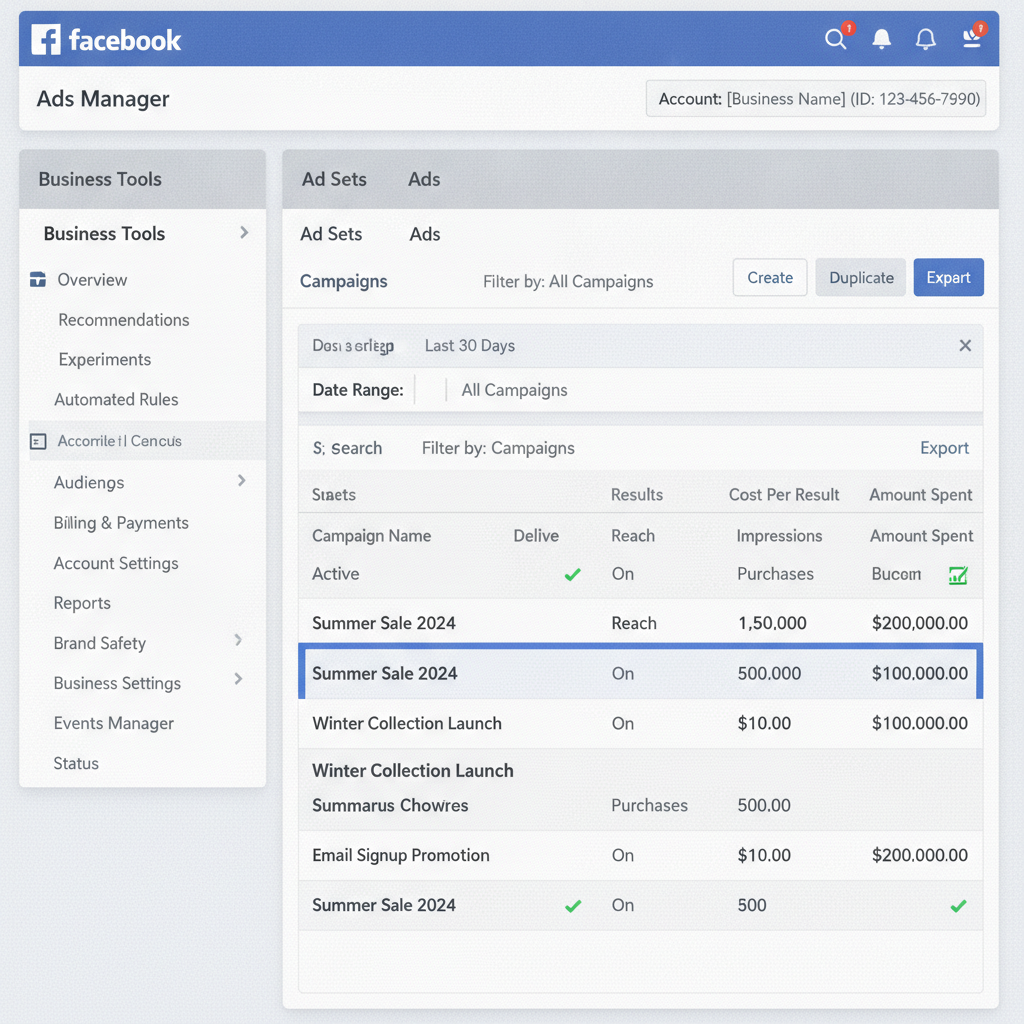
Facebook Ads Manager is a comprehensive platform designed to manage where, when, and how your advertisements appear. Before serving ads to potential customers, establishing a structured account foundation ensures your tracking and financial operations run smoothly from day one.
How do you create a Meta Business Account?
Setting up your advertising ecosystem requires connecting your official business presence to Meta's infrastructure. In practice, establishing this hierarchy correctly prevents permission conflicts down the road and keeps your digital assets secure.
- 1Navigate to Meta Business Suite: Visit business.facebook.com and log in with your primary personal Facebook profile.
- 2Create a Business Account: Enter your legal business name, your primary contact name, and your business email address.
- 3Link Your Pages: Attach your existing Facebook Business Page and Instagram professional profile to your account workspace.
- 4Configure Payment Details: Add a valid credit card or payment method under the "Ad Accounts" section within Payment Settings.
What is the Facebook pixel and why is it essential?
The facebook pixel (now integrated into Meta’s Conversions API framework) is a small snippet of JavaScript code placed on your website. It functions as a bridge between your web traffic and your advertising analytics by recording user actions such as viewing a product page, adding items to a cart, or submitting a contact form.
"Proper placement of the Facebook pixel transforms basic traffic metrics into rich behavioral data, enabling precise retargeting and measurable return on ad spend."
Without this tracking snippet installed on your site, Facebook cannot optimize your campaigns for conversions or attribute sales back to specific ad creative elements. Installing it involves pasting the code into your site's `
` tag or using native integrations on platforms like Shopify, WordPress, or Squarespace.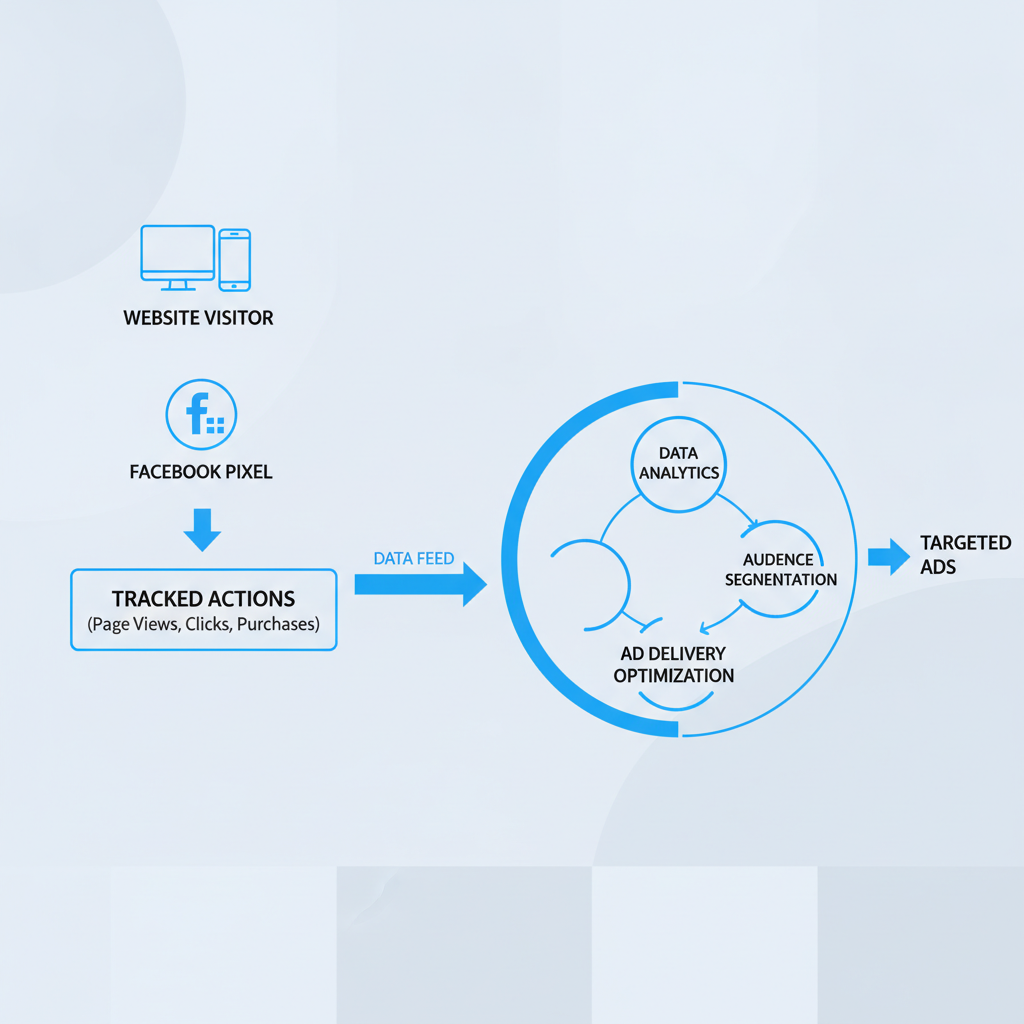
How Do You Structure Your First Facebook Advertising Campaign?
Every campaign inside Facebook Ads Manager adheres to a intuitive three-tier hierarchy: the Campaign Level (where you pick your core business goal), the Ad Set Level (where you define your budget and audience), and the Ad Level (where you design your visuals and text).
🥧 Recommended Facebook Ad Budget Allocation by Funnel Stage
Which campaign objective should beginner marketers choose?
Choosing the correct objective tells Meta's algorithms how to optimize ad delivery. The platform groups objectives into three primary categories:
Awareness: Introduces your brand to new people. Best for maximum reach on a low budget.
Traffic / Engagement: Encourages users to click through to your website or interact with your posts.
Sales / Lead Generation: Prompts high-intent users to complete a specific transaction or submit contact info.
For your initial campaign, select Sales if you run an online storefront, or Leads if you offer service-based solutions. Choosing a lower-funnel objective directs Facebook's delivery system toward users who historically display purchasing behavior.
How do you configure Facebook ad targeting for your audience?
Effective facebook ad targeting is the difference between connecting with enthusiastic buyers and wasting ad spend on uninterested scrolling. Meta provides three distinct mechanisms for defining who sees your message:
- 1Core Audiences: Select users based on age, gender, geographic location, language, and specific interests (such as "digital marketing" or "outdoor cooking").
- 2Custom Audiences: Upload your customer email lists or build audiences directly from people who have visited your website (tracked via your pixel) or engaged with your Instagram account.
- 3Lookalike Audiences: Instruct Meta to analyze your existing customer base and find brand-new users who share similar demographic and behavioral traits.
How Do You Set Budgets and Create Effective Ad Creatives?
Once your objective and audience parameters are locked in, you can decide how much to invest and craft the visual message your audience will experience.
💡 Tip
Always test one primary variable at a time when launching your first Facebook marketing campaigns. Changing both your visual ad creative and your target audience simultaneously makes it impossible to identify which element actually drove your results.
How should you allocate daily vs. lifetime budgets?
When setting ad spend, Ads Manager gives you two primary options:
Daily Budgets: Sets a fixed average daily spending limit. This is ideal for ongoing, evergreen campaigns where you want consistent exposure.
Lifetime Budgets: Sets a hard cap across a specific date range. This option allows you to run ads on specific day-parting schedules (for example, showing ads only during business operating hours).
For beginners, launching with a modest daily budget of $10 to $20 per ad set allows the system to collect actionable performance data without exceeding your comfortable investment boundary.
📈 Average Facebook Ad Click-Through Rate (CTR) by Industry (WordStream Data)
What makes a high-converting ad creative on Facebook?
High-performing ad creative balances clear brand communication with native visual appeal. Users browse feeds quickly, so your ad must earn their attention instantly.
Hook (First 3 Seconds): State the primary value proposition or problem you solve right away.
Format Diversity: Combine single image posts with vertical short-form video (Reels) to maximize coverage across placement placements.
Clear Call-to-Action (CTA): Match your button text ("Shop Now," "Learn More," "Sign Up") directly to your primary website landing page goal.
How Do You Measure and Optimize Campaign Performance?
Launching a campaign is only the beginning. Successful campaign management relies on monitoring real-time data to refine your strategy over time.
"Data-driven optimization requires patience. Give the ad platform's machine learning model roughly 50 conversion events per week to exit the initial learning phase before making major adjustments."
Which key performance metrics matter most for beginners?
When reviewing performance inside facebook ads manager, focus your attention on four core columns:
Click-Through Rate (CTR): The percentage of viewers who clicked your ad. Aim for a CTR above 1.00% as a baseline for creative engagement.
Cost Per Click (CPC): The average amount spent every time someone clicks your link.
Cost Per Acquisition (CPA): How much you spend to acquire a single customer or lead.
Return on Ad Spend (ROAS): Total revenue generated divided by total ad spend (e.g., a $400 revenue return on a $100 ad spend represents a 4.0x ROAS).
Regularly review these metrics. If your CTR is low, refresh your ad images or headlines. If your CTR is high but conversions are low, inspect your landing page experience to ensure a seamless transition for incoming visitors.
Key Takeaways for Facebook Advertising Success
Establish Trackable Foundations: Install the Facebook pixel prior to launching campaigns to ensure accurate measurement.
Define Clear Business Objectives: Match your campaign objective directly to your target financial outcome.
Target with Precision: Move from broad demographic targeting toward high-performing Custom and Lookalike audiences as your pixel gathers data.
Iterate Creative Systematically: Test fresh ad copy and visuals routinely while keeping campaign structures simple.
Navigating Your Paid Growth Journey with Confidence
Taking your first steps into paid social media advertising often comes with a learning curve, but remember that every thriving brand started with a single test campaign. Success isn't about launching a flawless ad on day one—it is about listening to the data, understanding what truly resonates with your audience, and building momentum step by step.
If you would like a dedicated partner to review your account setup, optimize your pixel data, or help craft campaigns tailored to your business goals, reach out to connect with our team. We are here to help you move forward with clarity, strategy, and peace of mind.
