
Quick Answer
A broken link occurs when a hyperlink points to a webpage or resource that has been deleted, moved, or mistyped, resulting in a 404 error. Regularly running a broken link checker allows website owners to spot these dead ends and set up appropriate redirects, protecting organic rankings, crawl efficiency, and user conversion paths.
Broken links and mismanaged redirects are among the most common technical issues affecting modern websites. While they often go unnoticed by site managers during day-to-day operations, dead ends quietly erode search engine rankings, drain crawl budgets, and frustrate potential customers who are simply trying to find answers.
Addressing these issues isn't just about fixing broken code; it's about preserving hard-earned link equity and ensuring every visitor reaches their intended destination without friction or disappointment.
What Are Broken Links and How Do They Impact SEO Performance?
What is a broken link and why does it occur?
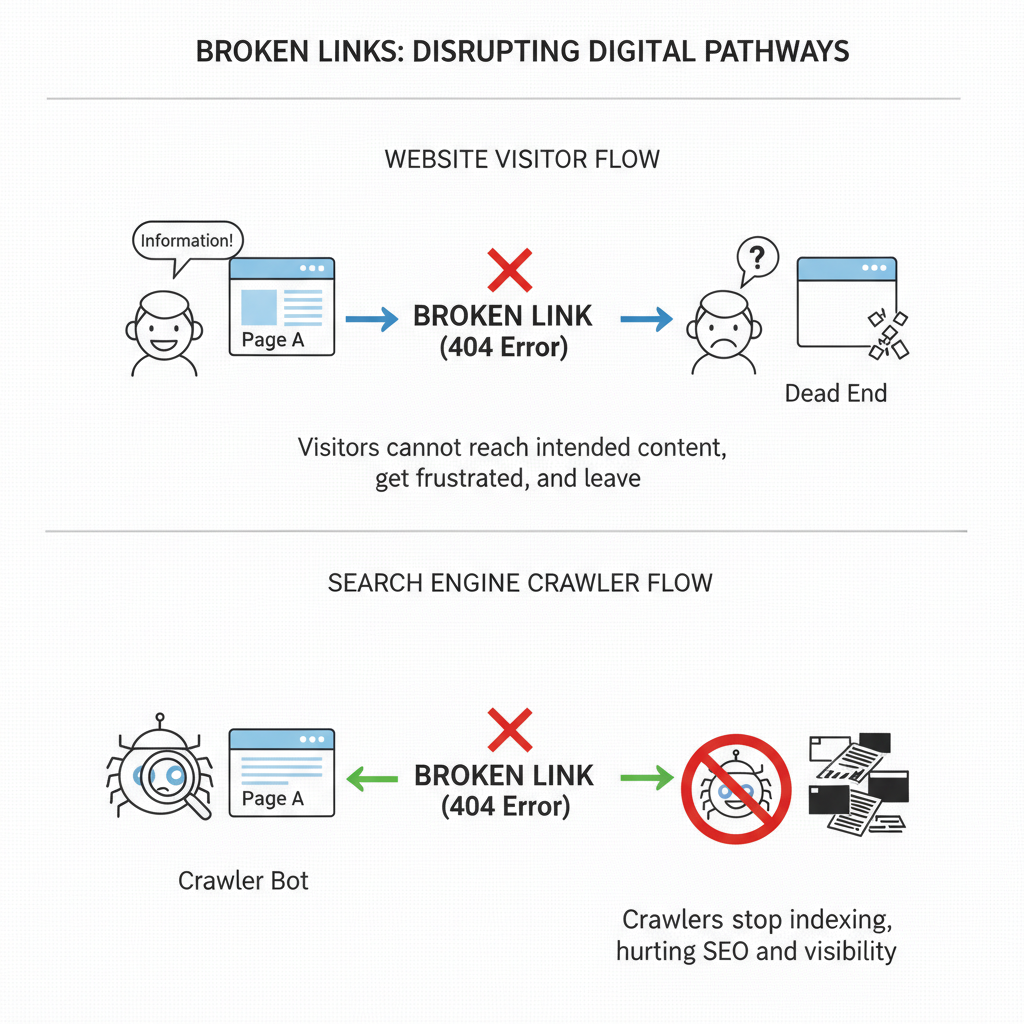
A broken link is a hyperlink on a webpage that no longer functions because the target destination has been removed, renamed, or migrated without an active redirect. When a user or search engine crawler clicks a broken link, the web server returns an HTTP status code—most commonly a 404 (Not Found) or 410 (Gone) response.
Broken links typically occur due to four primary reasons:
URL changes: Modifying a page slug or site folder structure without updating internal links.
Deleted content: Removing obsolete blog posts, discontinued products, or retired service pages.
Domain migrations: Changing domain names or migrating to a new content management system (CMS) without mapping existing URLs.
Typographical errors: Misspelling paths or protocols during manual hyperlink creation.
🥧 Types of Link Response Errors Found in Site Audits
How do broken links silently damage search rankings and user experience?
Broken links negatively impact search engine optimization (SEO) by blocking the flow of PageRank (link equity) across your site and creating unnecessary friction for users. When search engine bots like Googlebot encounter a dead end, they stop crawling that specific pathway, wasting valuable crawl budget on non-existent pages.
From a user perspective, landing on a 404 error page interrupts the buying journey. Studies consistently show that a high bounce rate caused by dead links directly correlates with decreased site conversions and reduced time on site.
"Unresolved HTTP 404 errors do not directly trigger a site-wide manual penalty, but they cause a gradual decay in overall organic visibility by severing internal link networks and signals."
What Is the Difference Between 301, 302, and 308 Redirects?
When should you use a permanent 301 redirect?
A 301 redirect is a permanent HTTP status code that informs search engines and web browsers that a page has moved permanently to a new location. In technical SEO practice, a 301 redirect transfers between 90% and 99% of original link equity to the destination URL according to Google Search Central.
You should implement a 301 redirect in the following scenarios:
- 1 Permanently moving content from an old URL to a new URL.
- 2 Consolidating duplicate pages or thin content into a comprehensive single resource.
- 3 Migrating a site from HTTP to HTTPS or shifting to a new primary domain.
How do temporary 302 redirects and modern 308 redirects affect crawl budget?
A 302 redirect signifies a temporary move. It tells search crawlers to keep the original URL indexed because the move is not permanent. Because search engines treat 302s as temporary, they usually retain the old page in search indexes and may delay transferring link authority to the target URL.
A 308 redirect (Permanent Redirect) is the modern, HTTP/1.1 successor to the 301 redirect. The key distinction is that a 308 redirect requires browsers to preserve the exact HTTP method (such as POST data) when making the request to the new URL.
💡 Tip
Implementation Rule: Use a 301 redirect for standard website page migrations to ensure maximum search engine compatibility. Use a 308 redirect specifically for web application endpoints or form submission scripts where preserving request method data is critical. Avoid leaving 302 redirects active long-term, as search engines will eventually stop passing authority through them.
How to Find and Fix Broken Links on Your Website
What are the best broken link checker tools for regular website audits?
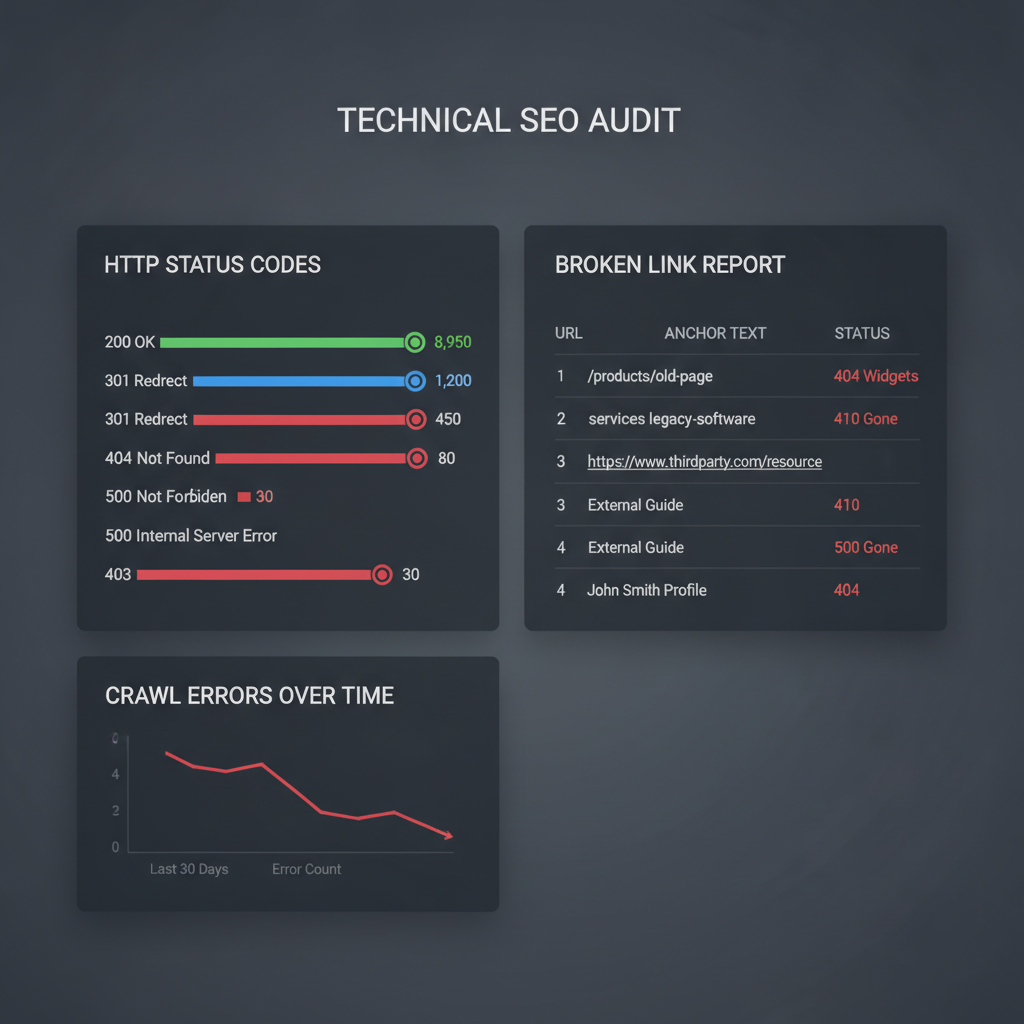
Using dedicated broken link checker tools is the most efficient way to scan thousands of internal and external URLs across your platform. Automated crawlers identify broken paths, status codes, and redirect loops before they affect your traffic.
Popular tools include:
Screaming Frog SEO Spider: Desktop software ideal for deep technical site audits and extracting response codes.
Ahrefs & Semrush: Cloud-based SEO suites providing automated weekly health audits and backlink monitoring.
Google Search Console: Free native tool directly reporting 404 errors discovered by Googlebot under the Page Indexing report.
Dedicated Plugins: CMS-specific extensions suitable for smaller, static websites needing real-time alerts.
Step-by-step process for resolving broken links and redirect chains
Resolving dead ends systematically requires identifying the root source of the issue, selecting the proper fix, and validating the output.
- 1 Run a comprehensive audit: Launch a broken link checker scan across your full sitemap to export all HTTP 4xx and 5xx errors.
- 2 Identify link sources: Separate broken internal links (links pointing from your pages to other pages on your site) from broken external links (links pointing to third-party sites).
- 3 Fix internal references: Update internal hyperlinks directly within your CMS source code rather than relying solely on redirects.
- 4 Implement 301 redirects: For deleted pages with existing external backlinks, map a 301 redirect to the most relevant live counterpart page.
- 5 Unravel redirect chains: Eliminate multi-step hops (e.g., Page A → Page B → Page C) by pointing Page A directly to Page C.
📊 SEO Traffic Recovery Rates Following Technical Audit Fixes
Best Practices for Maintaining Healthy Website Link Structure
To prevent dead links from accumulating over time, implement a routine website maintenance schedule.
Key Takeaways for Link Health Management
Schedule Monthly Scans: Run an automated broken link checker at least once per month or immediately after publishing bulk content updates.
Update Internal Links at Source: Always edit internal content links directly instead of stacking permanent redirects internally.
Avoid Overusing Redirects: Excessive 301 or 308 redirects increase latency and server overhead, slowing down page loads.
Monitor Backlinks: Keep an eye on incoming external links that point to missing pages and set up targeted 301 redirects to capture lost link value.
Giving Your Site Visitors the Smooth Journey They Deserve
Managing a growing website means balancing dozens of competing priorities, and it is completely natural for dead links to quietly accumulate over time. However, every broken URL you resolve restores a seamless, welcoming experience for a real person trying to connect with your brand.
If navigating technical site audits or unravelling multi-step redirect chains feels overwhelming alongside your day-to-day operations, our dedicated technical team is here to help. We will audit your site structure, fix hidden bottlenecks, and ensure every click guides your audience exactly where they want to go. Connect with us today to request a thorough link health check and give your online presence the clear path forward it deserves.
